
Fable 5 + Karpathy’s LLM Wiki is Basically Cheating
 Nate Herk | AI Automation
  Abrir en Hinto
Sobre este vídeo
My playbook for growing a $1M AI agency: https://app.aiautomationsociety.ai/opaa-ads-optin My FREE resources: https://www.skool.com/ai-automation-society/about?el=fable-llm-wiki&hcategory=youtube-videos&utm_campaign=free-group My Tools💻 FREE MONTH voice to text: https://get.glaido.com/nate Code NATEHERK for 10% off VPS (annual plan): https://www.hostinger.com/vps/claude-code-hosting Karpathy LLM Wiki Gist: https://gist.github.com/karpathy/442a6bf555914893e9891c11519de94f I ingested all my YouTube videos into an LLM wiki and turned them into a connected second brain that my AI OS can actually reason over. In this one I show you how to build the same thing in about five minutes using Claude Code and Obsidian, based on Andrej Karpathy's LLM knowledge base idea. You drop in sources, the AI reads them, splits them into cross-linked wiki pages, and keeps the whole thing organized with routing rules so it can find anything fast. By the end you'll know how to set up the vault, write the schema, ingest a PDF and a URL, and decide when to keep your wiki flat versus structured. Sponsorship Inquiries: 📧 nate@smoothmedia.co Connect with me: https://www.linkedin.com/in/nateherkelman/ https://x.com/nateherk https://www.instagram.com/nateherk/ TIMESTAMPS 0:00 The LLM Wiki Demo 1:13 What Fable Does With the Data 2:58 Multiple Wikis in My AI OS 5:09 Where This Started + Obsidian Setup 7:05 The Setup Prompt 7:59 Flat vs Structured Wikis 9:49 Ingesting Two Sources 12:38 Why It Works: Routing 14:18 Final Thoughts
Mira este vídeo en inglés para aprender inglés
Ver vídeos reales de YouTube en inglés con subtítulos es una de las formas más densas de absorber el idioma. Fable 5 + Karpathy’s LLM Wiki is Basically Cheating de Nate Herk | AI Automation te da ritmo nativo, entonación natural y vocabulario que realmente vas a encontrar en conversaciones reales.
En la app Hinto, cada subtítulo se traduce con un toque. Sin cambiar de app, sin pausar el vídeo, sin diccionario. Solo mira.
Vídeos para aprender inglés

I Turned GPT-6 Astra Into a 24/7 Stock Trader (tutorial)
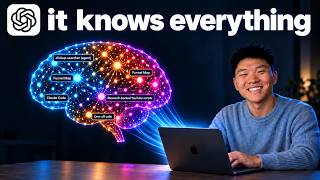
I Turned GPT-6 Astra Into the Ultimate AI Second Brain

I Tested GPT-6 Astra vs Fable 5.1 on 15 Real Use Cases

GPT-6 Astra Voice Mode Automates Literally Anything

GPT-6 Astra FINALLY Kills AI Website Slop

GPT-6 Astra Made This Entire Video

I Had Fable 5.1 and 5 Build Me the Same App

AI News in 5 Mins: GPT-6 Astra

How Anthropic ACTUALLY Prompts Fable 5.1

Fable 5.1 FINALLY Kills AI Website Slop

Fable 5.1 Just Dropped. It Looks Unreal.

Anthropic is Teaching Claude to be Evil (real results)